
Keep every team in your club on the same tools.
Run several teams from one account, see every player you own in one roster, and give coaches a consistent way to work.
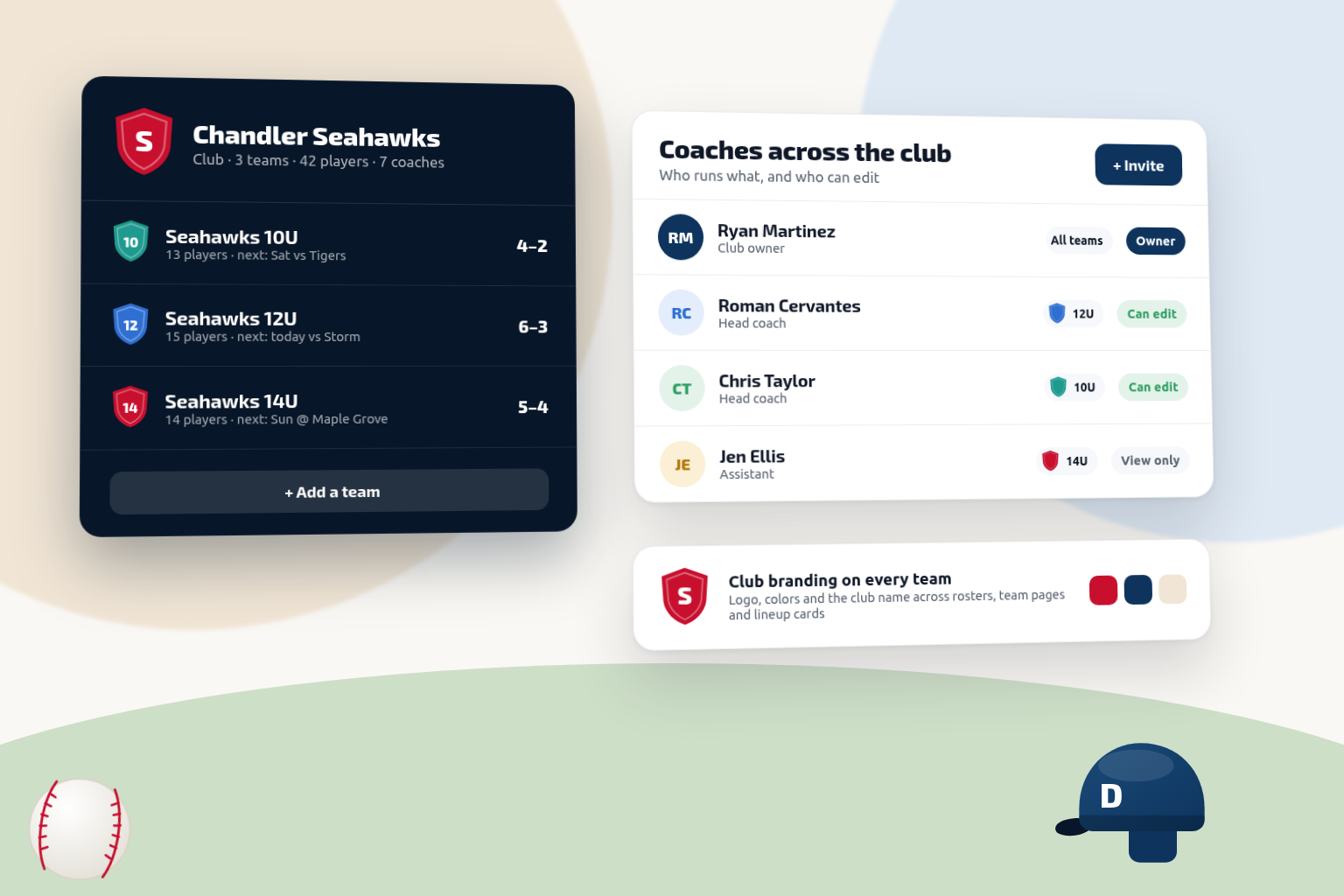
Available today on EliteUp to 10 teams under one account, a Club Roster across the teams you own, organization branding, and 4 guest coaches per team.
Built Around the Way You Coach
Running a club is a coordination problem before it's a coaching problem. These are the ones that show up every season.
Coaches using different tools
One coach lives in a spreadsheet, another in a group chat, a third on a whiteboard. Nothing transfers when a coach leaves.
Single-team apps don't scale
Free game-day tools stop at one roster and one schedule. A club needs every team, coach, and season under one account.
Who is on which team
Age groups, call-ups, and siblings across teams — and no single list of every player the club is responsible for.
Tryouts, clinics and camps
Sign-ups arrive through forms, texts and DMs, fees get chased one reminder at a time, and at tryouts several coaches score the same athletes on three different clipboards.
Organization consistency
Parents should get the same experience from every team in your club, not one that depends on which coach they drew.
Onboarding new coaches
Every new coach starts from zero, rebuilding practice plans and processes another coach in your club already solved.
How Dugout Master Fits Your Workflow
Your coaches keep their own workflow. You get consistency across all of it.
Before the Season
- Set up every team under one Elite account
- Run each team's tryouts, clinics and camps with online registration, payment links and QR codes
- Assign coaches with the right level of access on each team
- Apply your club logo and colors across every team
- Publish a Team Page per team that families bookmark once
During the Season
- Coaches run their own games, practices, and lineups
- See every player across the teams you own in the Club Roster
- Switch between your teams from one sidebar
- Keep notes and evaluations on the player, visible to that team's staff
After the Season
- Review playing time and participation team by team
- Carry each team's evaluations into next season's tryouts
- Keep season history when coaches turn over
- Plan next season's teams from real data
Features That Matter Most
What you can run today when you're responsible for more than one team.
One club, one platform
A closer look at Dugout Master — the screens your coaches use and the ones that keep your club aligned.
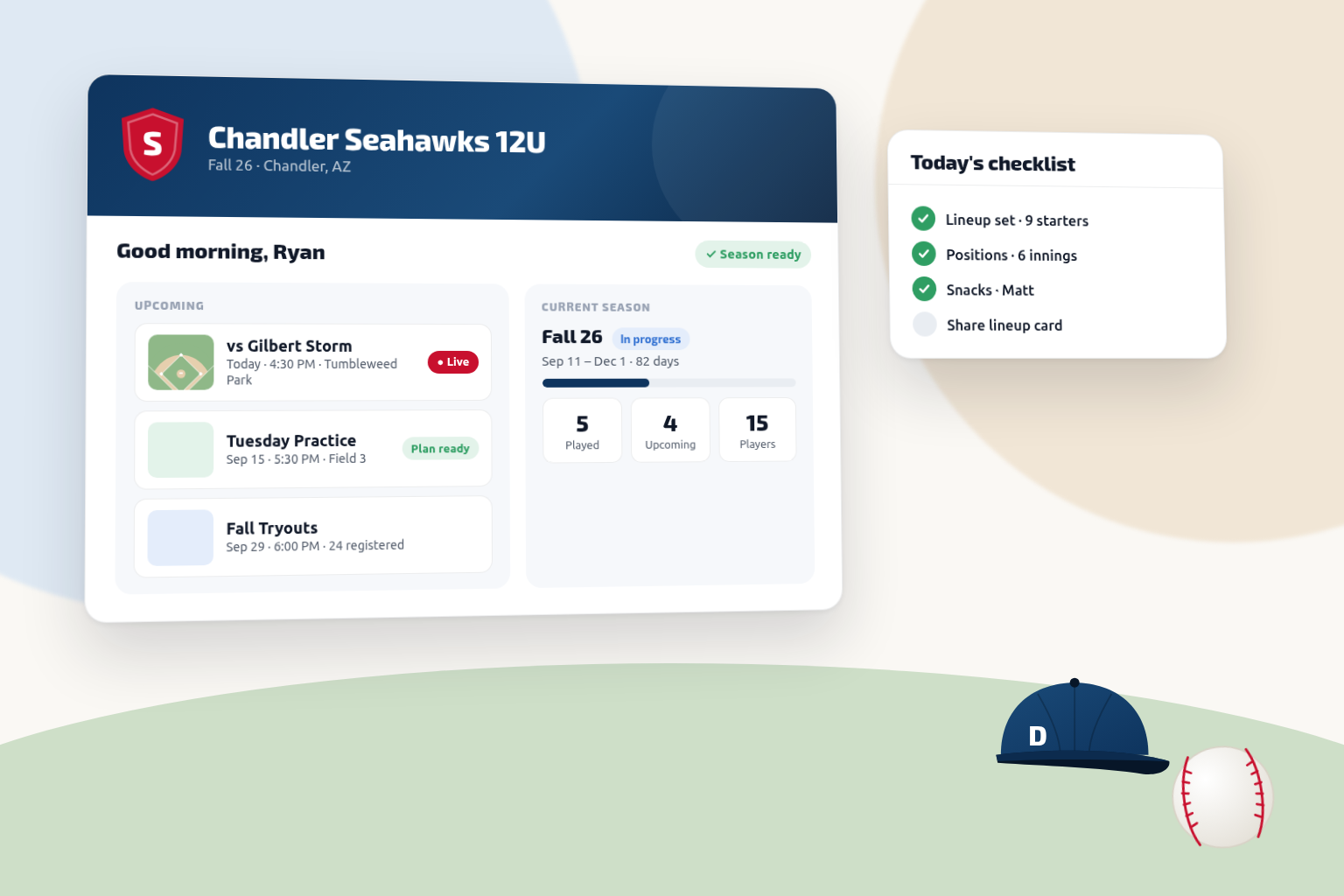
What Each Coach Sees
Team Home for every team in the club — the banner, the season, and what is coming up next.
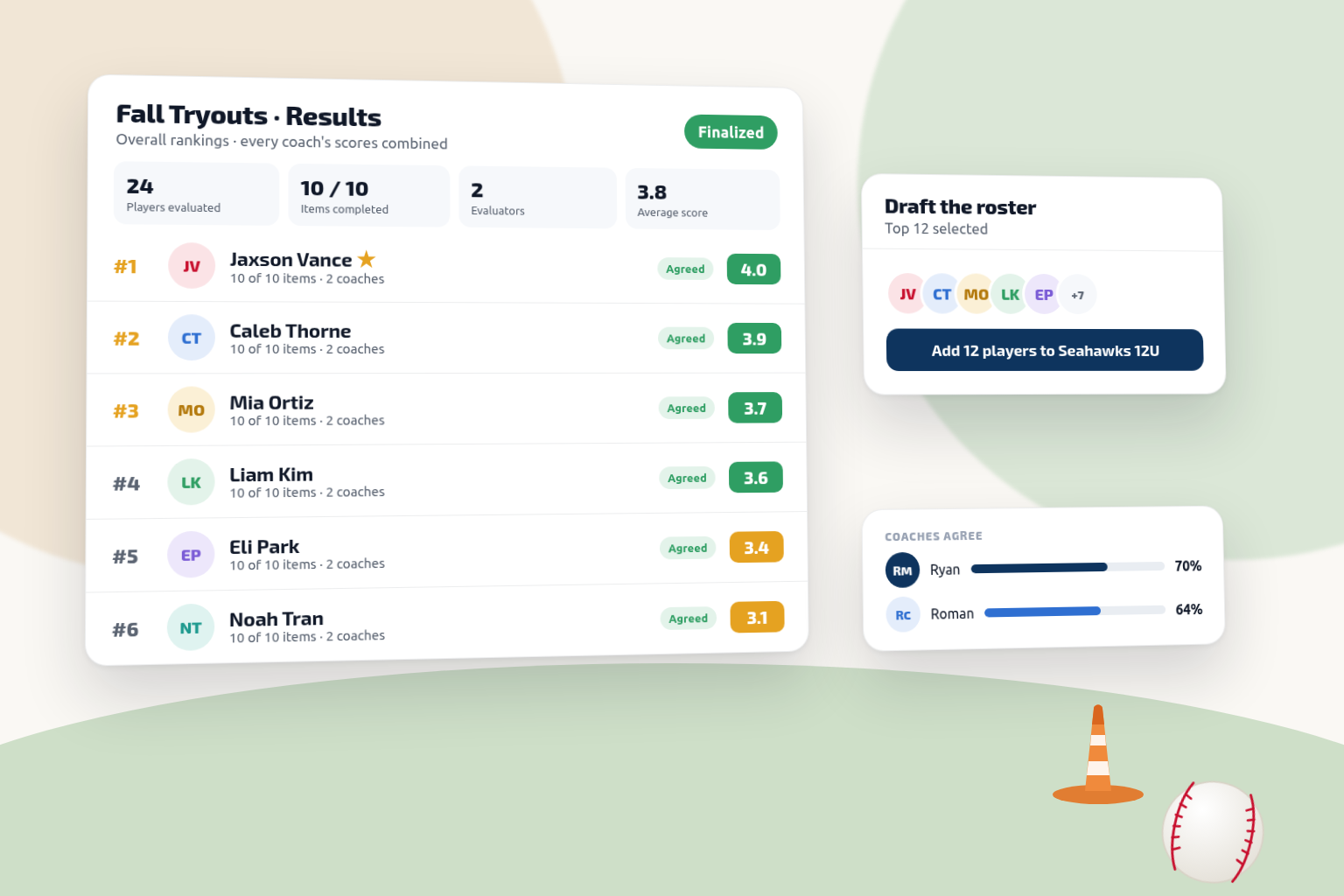
Tryout Results
Ranked results with every coach's scores side by side, ready for the roster meeting.
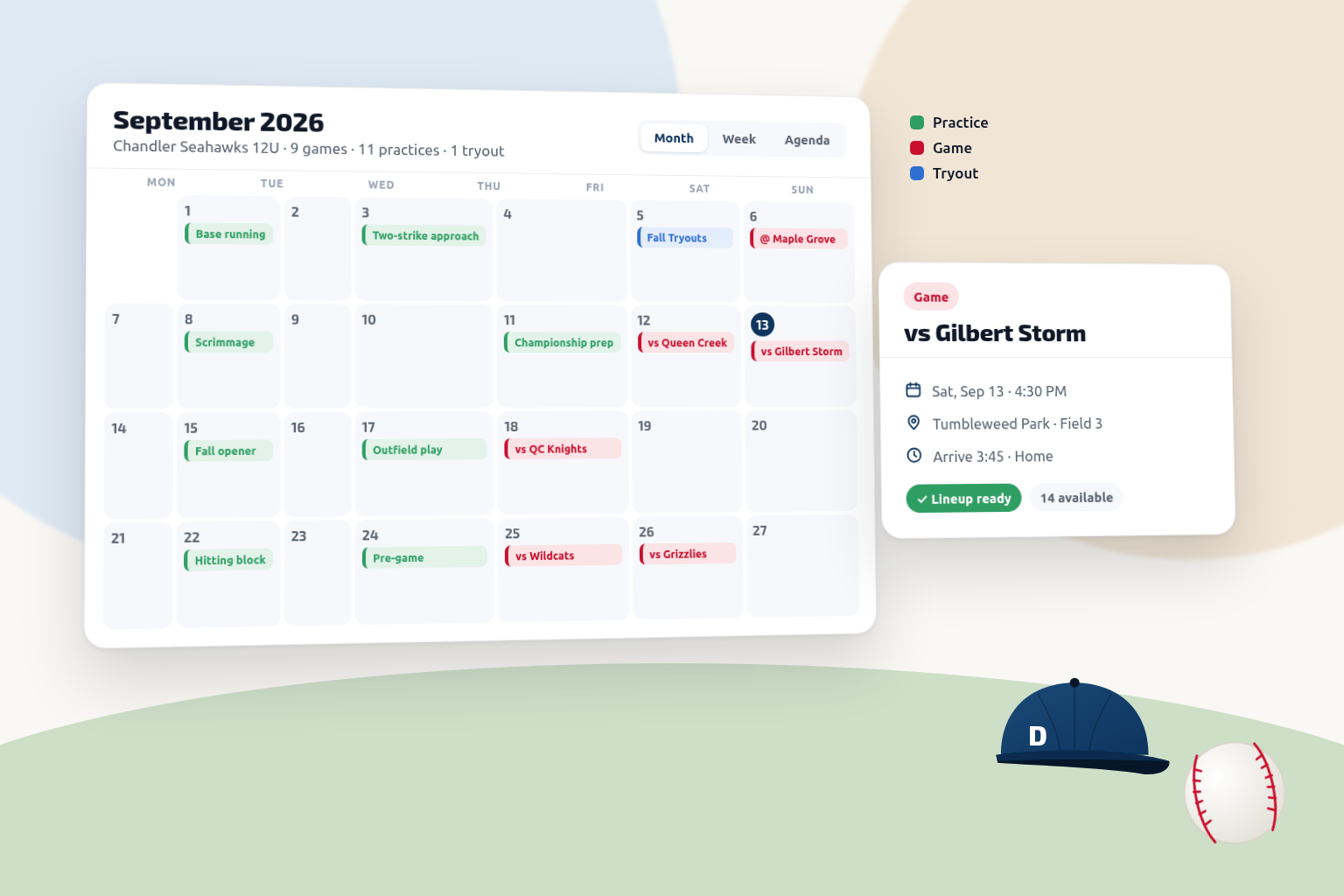
Every Team on One Calendar
Switch teams or view them all — games, practices, and events on one month view.
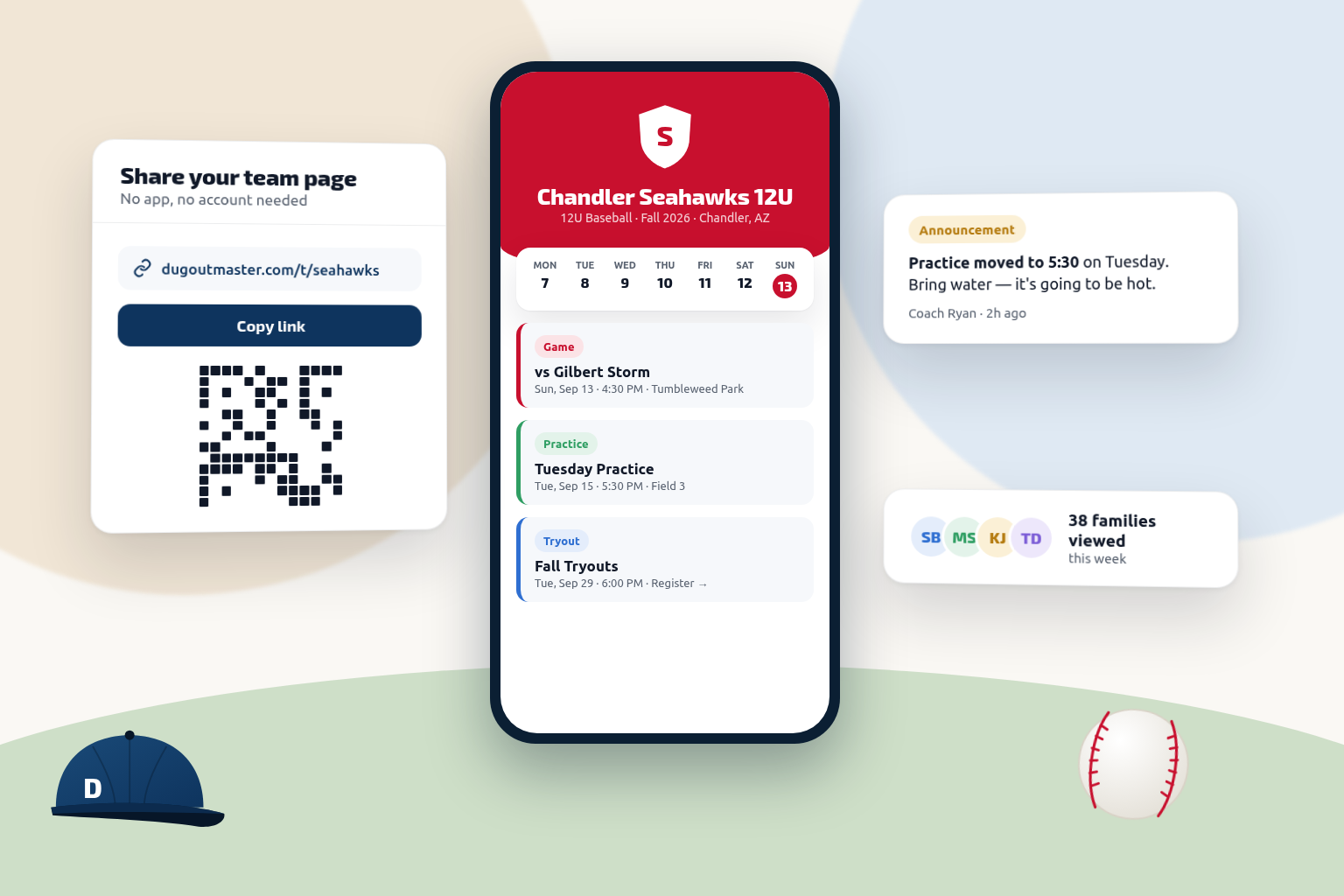
A Team Page per Team
Families open each team page in any browser. No app, no account, always current.
Frequently asked questions
Ready to simplify your season?
Start free — upgrade to Elite when you're ready — and bring your first few teams onto the same tools.
14-day Pro Trial · No credit card required