
Varsity, JV, and freshman on one platform.
Run every level of your baseball or softball program from one account — tryouts and events, practices, game day, and a public page per team.
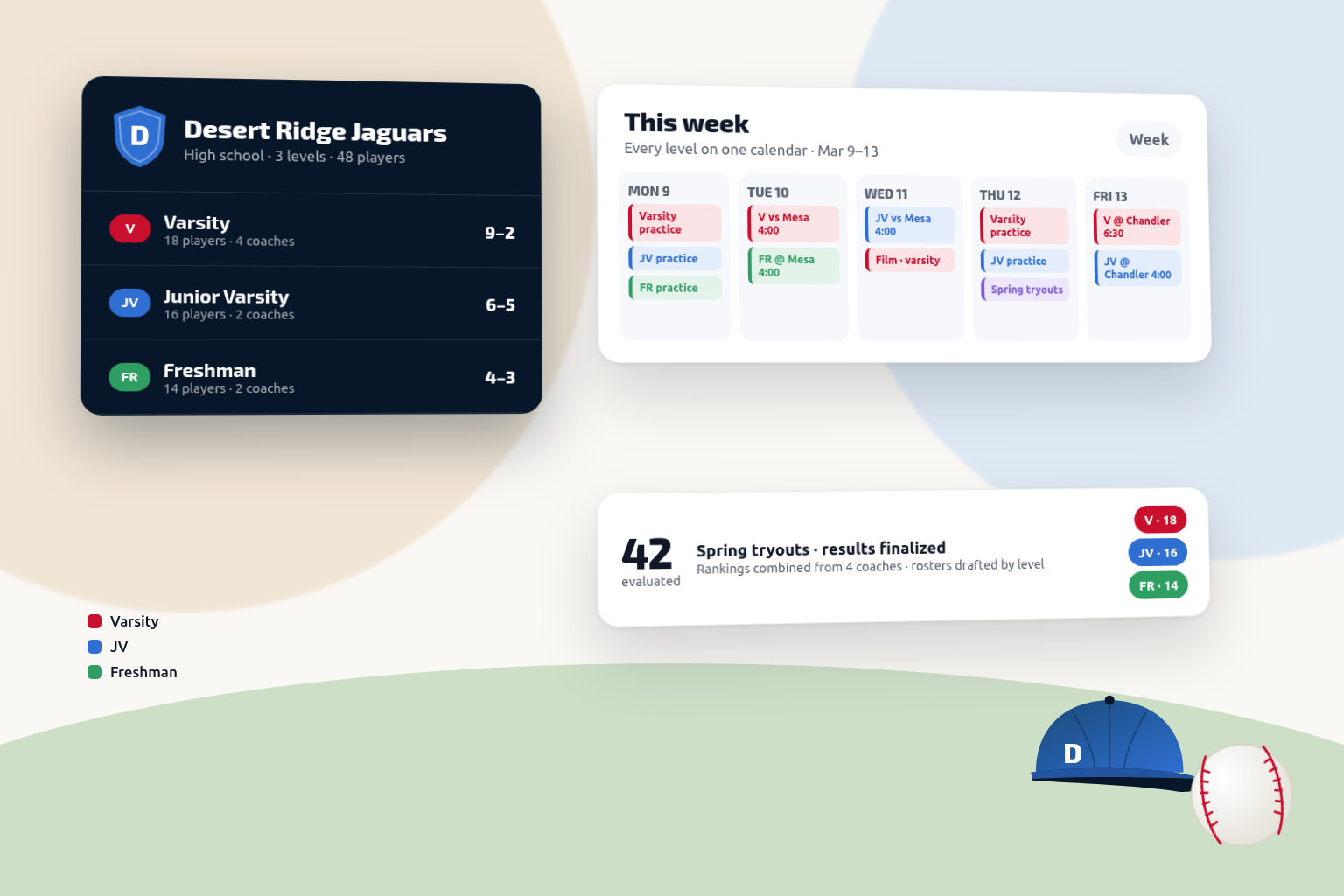
Available today on EliteUp to 10 teams (varsity, JV, freshman) under one account, a Club Roster across them, organization branding, and 4 guest coaches per team.
Built Around the Way You Coach
A school program is several teams, one staff, and a calendar that has to work around everything else the school is doing.
Varsity and JV coordination
Two rosters, two schedules, and players who move between them — usually tracked in two unrelated places.
Shared coaching staff
Assistants who cover both levels need the same information, but access usually depends on who remembered to forward what.
Program-wide communication
Field changes, weather calls, and schedule updates have to reach every level, every player, and every parent at once.
Player evaluations
Tryout scores decided a roster last fall, and nobody can find them when it's time to justify a decision or plan next season.
Seasonal planning
Field time, bus schedules, and shared facilities make a program calendar that changes constantly and lives in too many inboxes.
Losing history to turnover
When a coach moves on, four years of practice plans, evaluations, and player notes leave with them.
How Dugout Master Fits Your Workflow
From fall evaluations through the last game of the spring, in the order your program actually runs.
Before the Season
- Run each level's tryouts, clinics and camps with online registration and QR-code signup
- Evaluate athletes on the same drills with the full staff scoring
- Set varsity and JV rosters from ranked results
- Build a season calendar for every level
- Publish a Team Page per level that players and parents can bookmark
During the Season
- Plan and run practices from each team's drill library
- Manage lineups and defensive positions on game day
- Track playing time and attendance across the roster
- Keep coaching notes attached to games, practices, and players
After the Season
- Review participation and development level by level
- Keep evaluation history for next season's tryouts
- Carry practice plans and drills into the following year
- Hand a complete program record to incoming staff
Features That Matter Most
The tools that carry a program with more than one team and more than one coach.
Your program, level by level
A closer look at Dugout Master — evaluations, practices, and season planning across your program.
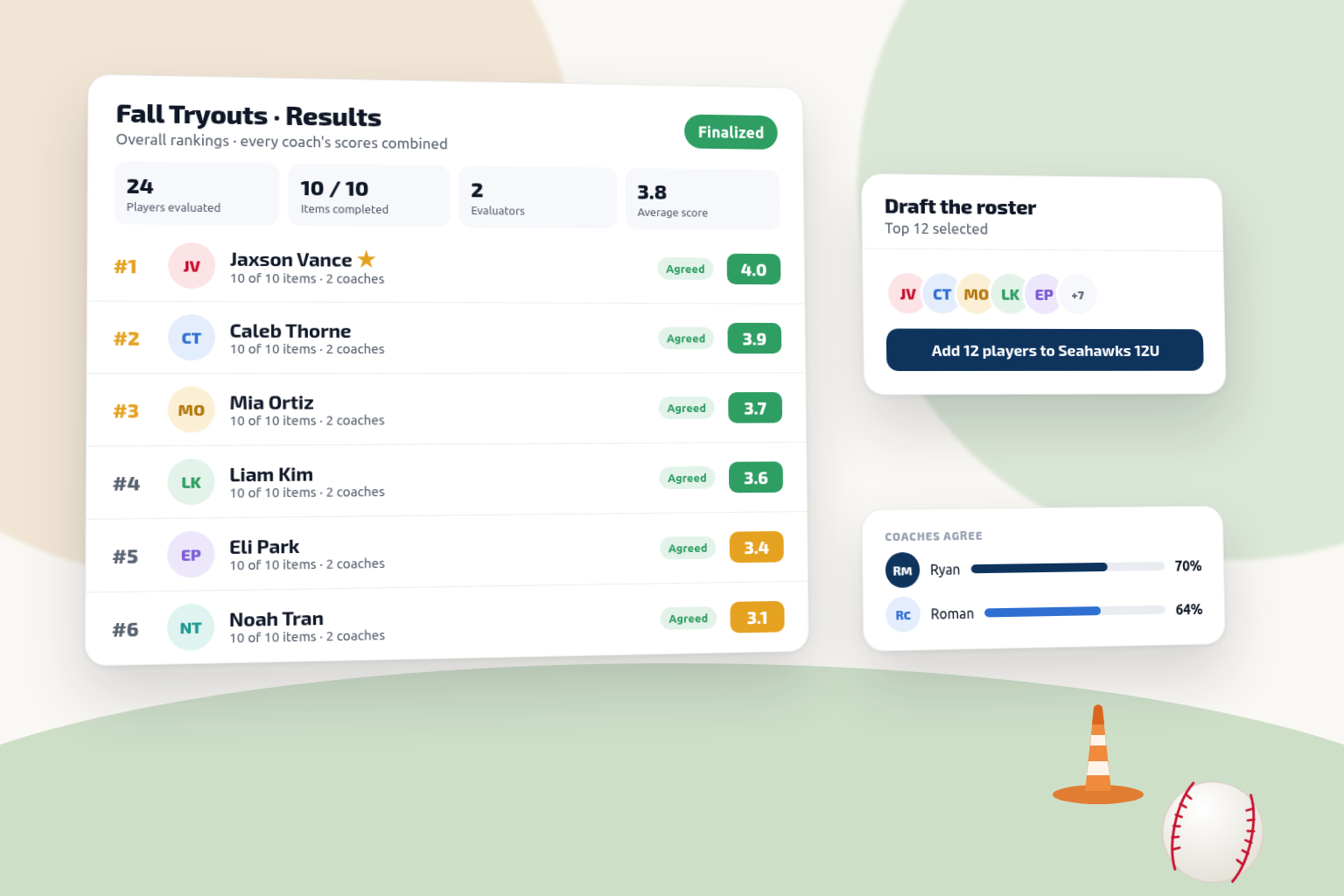
Tryout Results
Ranked results with each coach's scores combined, ready to set varsity and JV rosters.
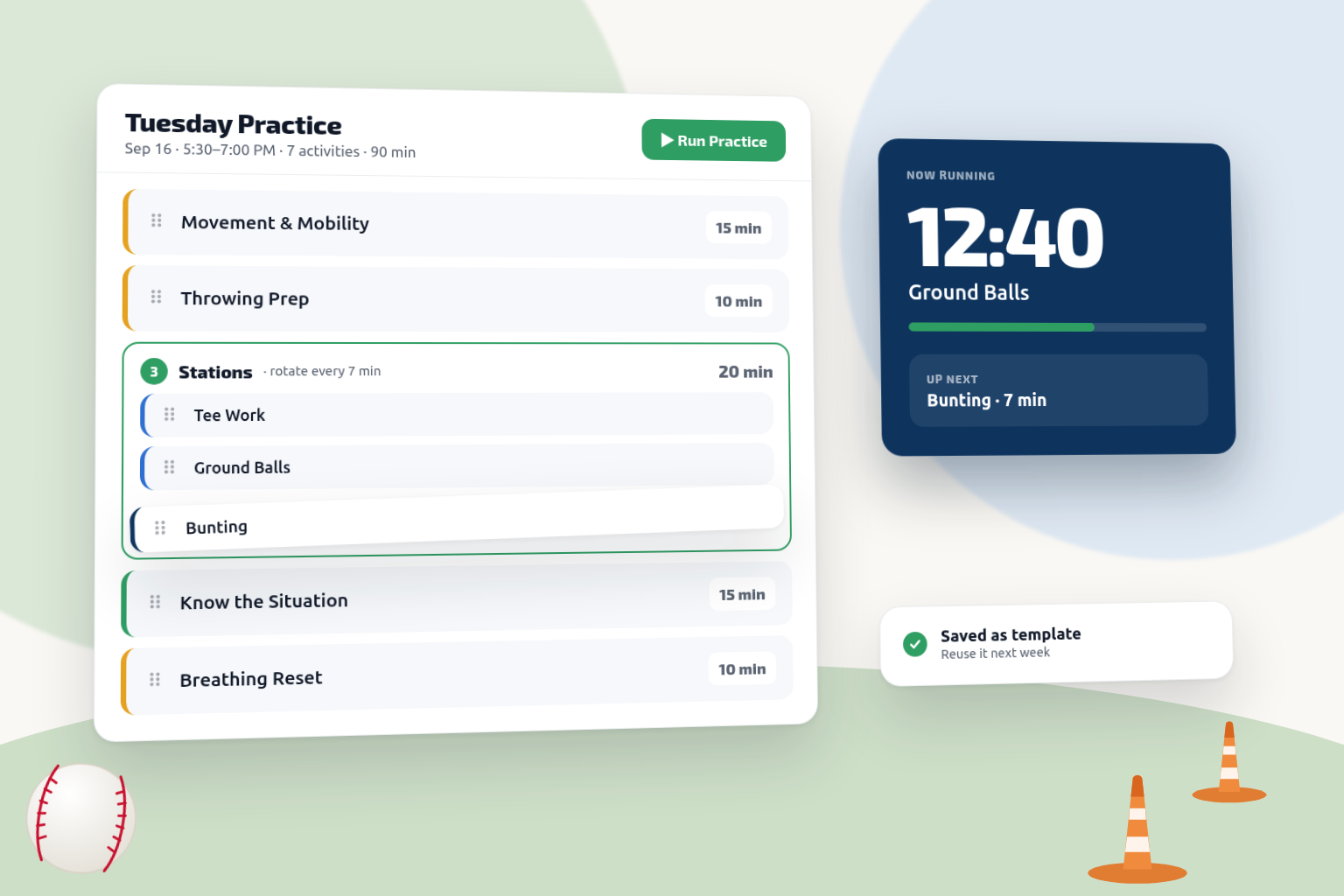
Practices
Timed practice plans with stations and drills — reusable across every level of your program.
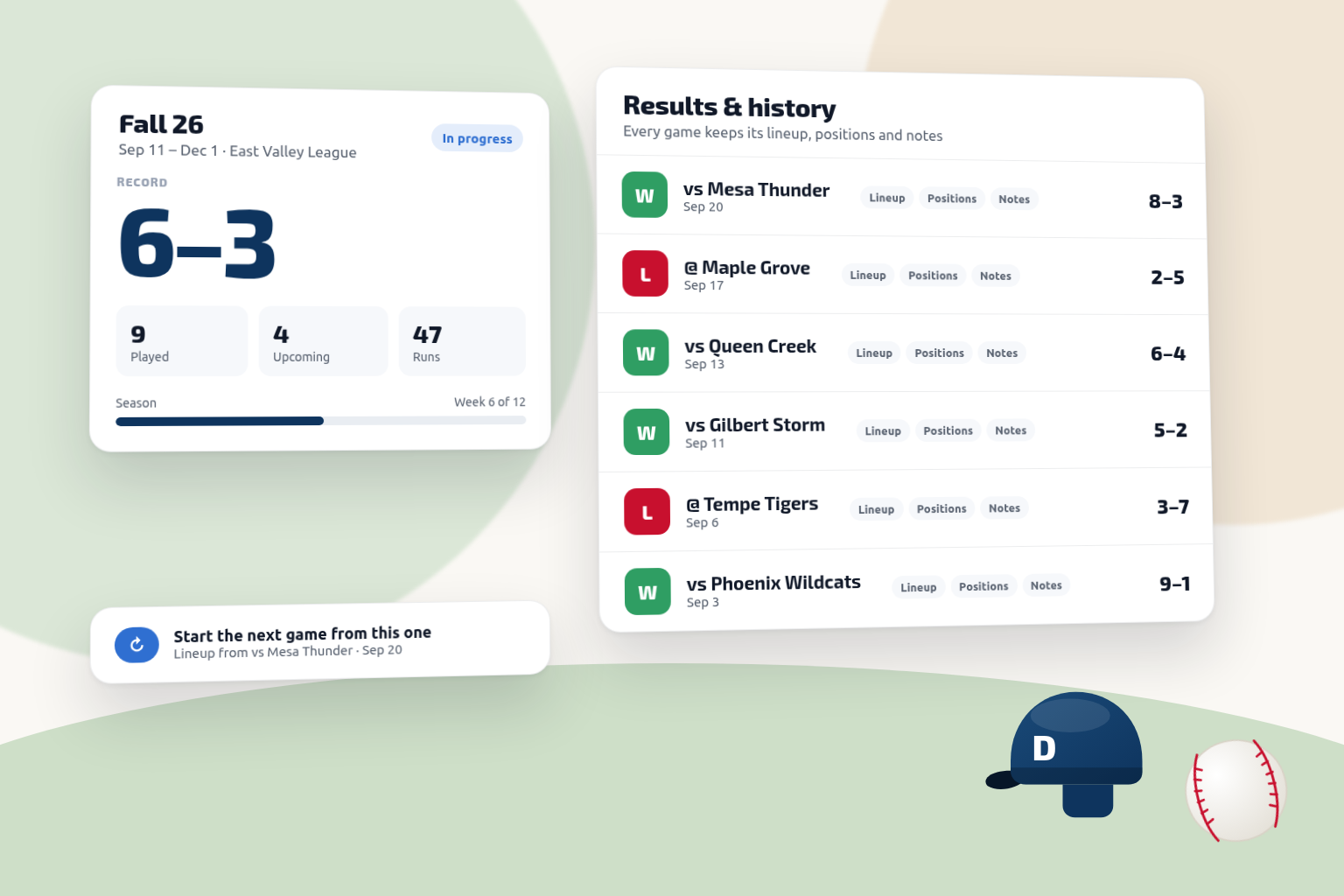
Season Management
Record, games played, upcoming events, and the season roster on one screen per team.
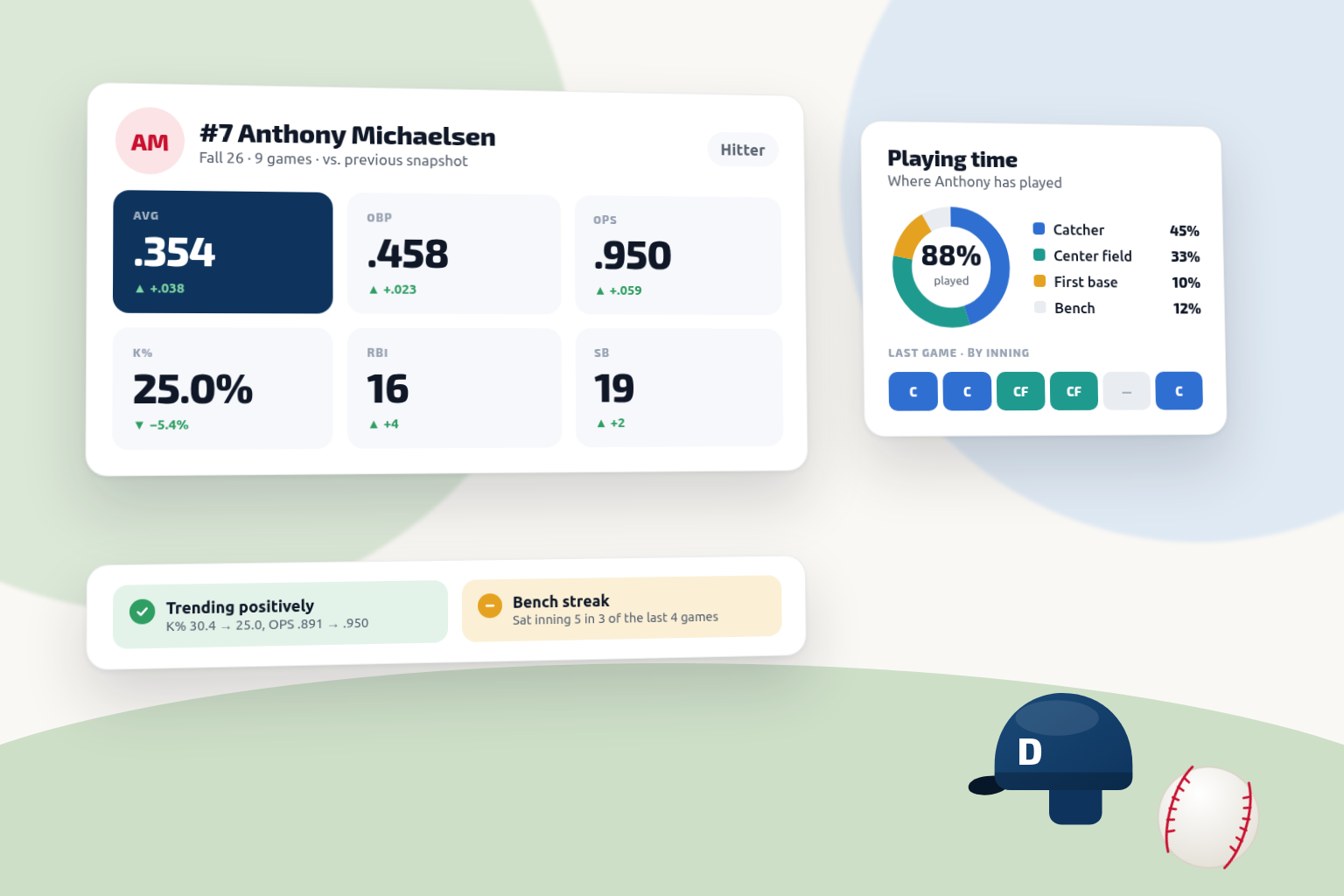
Player Development
Key metrics and trends per athlete, so a spring roster decision can point at the numbers.
Frequently asked questions
Ready to simplify your season?
Start free — upgrade to Elite when you're ready — and get your varsity and JV programs on the same platform before the season starts.
14-day Pro Trial · No credit card required